Your tablet is set up so that when you tap the Home button, the Menufy Console App opens — instead of the tablet's normal home screen.
This setup can sometimes get reset when the tablet installs a software update. If that happens, tapping Home will take you back to the tablet's regular home screen instead of the Menufy App. If you notice this, you'll need to set the Menufy app as the home app again.
To set the home app back to the Menufy Console App, please do the following:
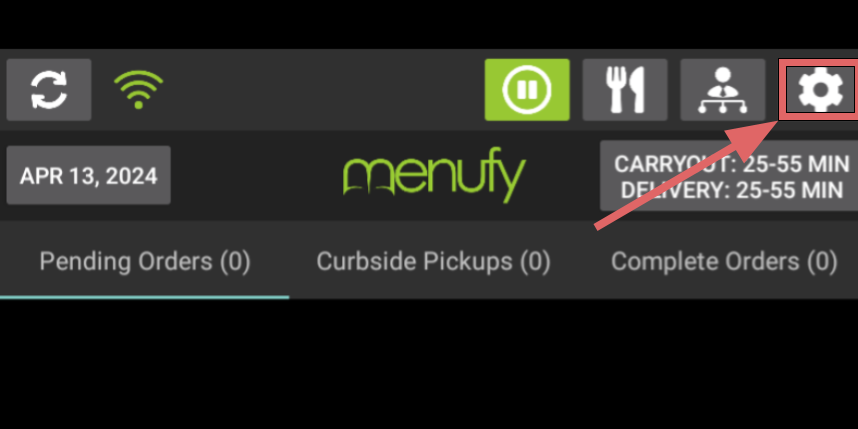
- On the Menufy Home Screen, tap the settings wheel in the right corner
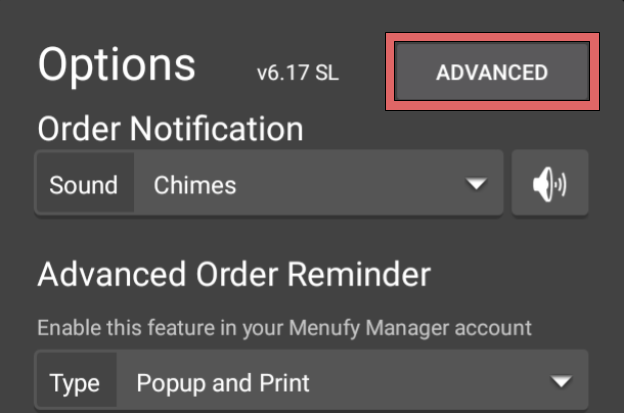
- In the next window, tap “Advanced”
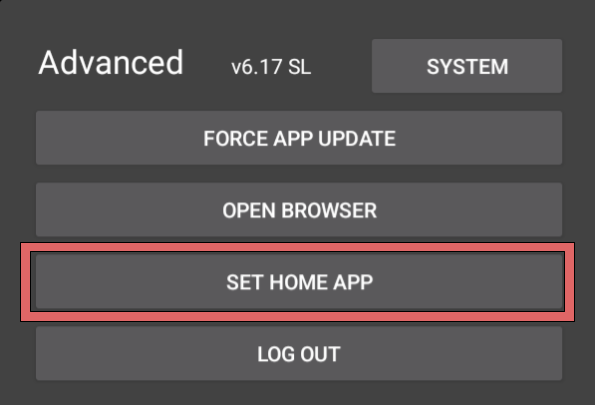
- On the Advanced Settings window, tap “Set Home App”
- Select “Menufy Restaurant Console” then “Always”