Menufy releases updates to the Menufy Console App on the tablet from time to time and will prompt you to download the new version as it's released. There is also an option inside the Menufy Console App to run the update if the prompt is missed.
The Tablet (Menufy Console App) will list it’s current version within the app so it is known if the app is out of date. The current up-to-date version is v7.04.
To confirm the Menufy Console App’s current app version, please do the following:
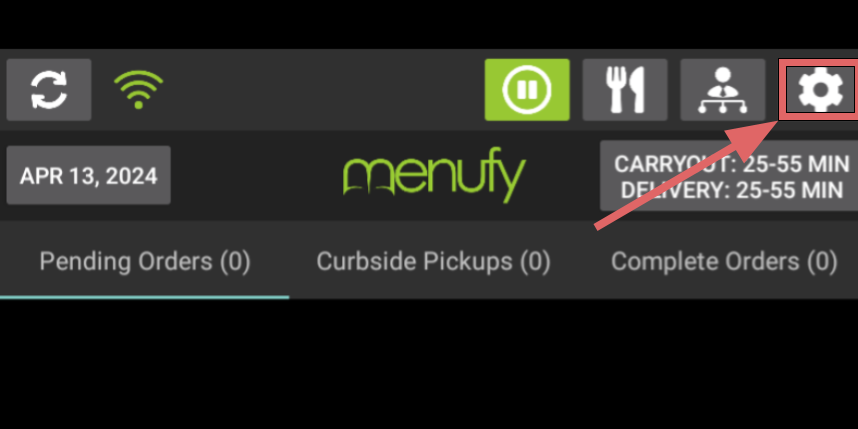
- On the Menufy Home Screen, tap the settings wheel in the right corner
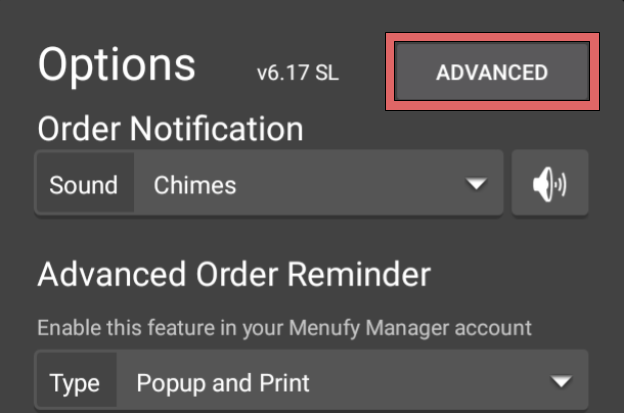
- The Menufy Console App version will be located at the top of the window
If the tablet is not up-to-date then, please do the following to update the Menufy Console app:
- On the Menufy Home Screen, tap the settings wheel in the right corner
- In the next window, tap “Advanced”
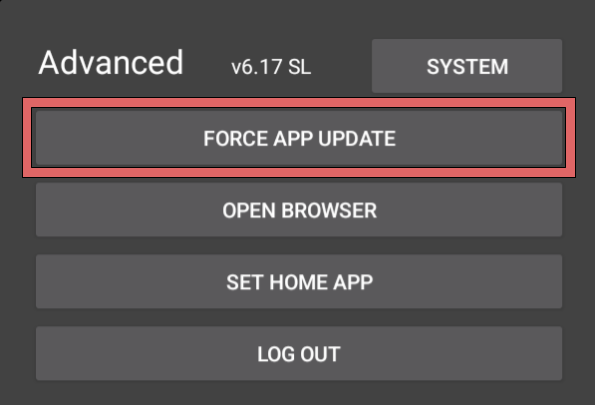
- On the Advanced Settings window, tap “Force App Update” then tap “OK” and app will begin downloading newest version
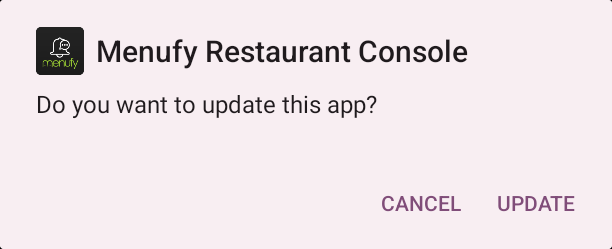
- Once newest app version is downloaded, a window will appear - tap “update” to begin installation
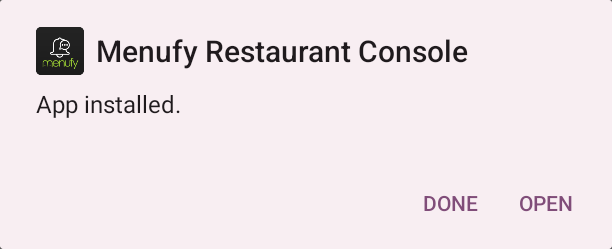
- Once installation is complete, a window will appear - tap “open” to return to Menufy Home
If the download package notification does not appear swipe down from the top of the tablet screen to open the quick settings menu and look through the notifications for the downloaded package then tap it to open.